
801-613-2759 sale@jfitzelectrical.com

Why Choose a Mini UPS for WiFi Router?

A stable WiFi connection depends on more than a fast router. It also depends on clean, continuous power. During a blackout, voltage dip, or brief electrical surge, a router may restart within seconds. Your video call freezes. Security cameras disconnect. Smart-home devices become unreachable. A Mini Ups For Wifi Router can keep the router powered during these short interruptions, giving users time to save work or wait for electricity to return.

Industry evidence shows why resilience matters. The Uptime Institute Annual Outage Analysis 2024 reported that many organizations still experience serious operational effects after power-related failures. Cisco’s Annual Internet Report also highlighted the rapid growth of connected devices and internet dependence. These reports focus mainly on business networks, not home routers. The lesson still applies. One weak power point can interrupt several connected services.

Power specialist Patrick Donovan of Schneider Electric has emphasized that “power quality problems are often invisible until they cause an outage.” That warning is practical. A compact UPS can provide battery backup, surge protection, and steadier output beside a router. However, it is not magic. It cannot repair a damaged cable, weak WiFi coverage, or an outage from the internet provider. Battery capacity also declines over time, and cheap units may create heat or unstable output. Choosing the correct voltage, connector, battery runtime, and safety certification requires care. Sometimes, a simple solution is better. A properly matched Mini Ups For Wifi Router can protect everyday connectivity when a few silent minutes matter.
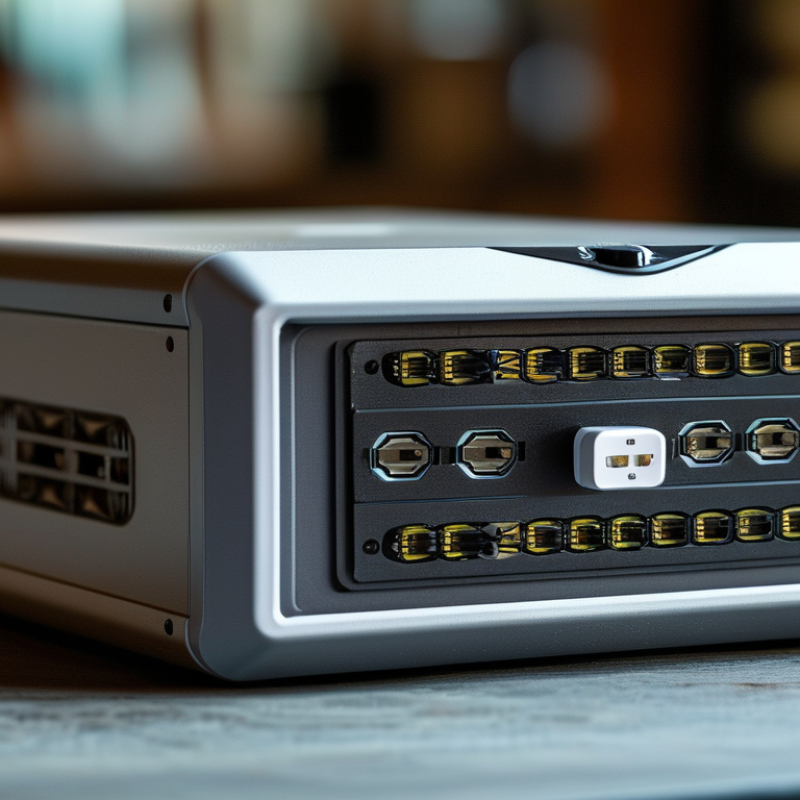
Why Choose a Mini UPS for WiFi Router?

What Is a Mini UPS for a WiFi Router?

A mini UPS for a WiFi router is a compact battery backup placed between the wall outlet and your networking equipment. It supplies stable DC power during blackouts, voltage dips, or brief electrical interruptions. Many units support a router, modem, or optical network terminal. Some offer several voltage outputs, but compatibility matters more than capacity.

The device usually charges while mains power is available. When electricity fails, it switches to battery power within milliseconds. Your router can keep its status lights on, maintain a video call, or preserve a smart-home connection. Runtime depends on battery capacity, output voltage, equipment load, and battery age. A router using 10 watts may run for several hours, but real results often disappoint.

Uptime Institute’s 2024 Annual Outage Analysis reported that 54% of respondents experienced outages costing at least 100,000 dollars. A small backup cannot prevent every failure, yet it can reduce the disruption caused by short outages.

Tips: Check the router’s voltage and amperage before connecting a mini UPS. Never guess. Add the modem or fiber terminal only if the UPS can support both loads. Keep the battery ventilated and replace it when runtime drops sharply. Also, test the system during the day, not during an emergency. Manufacturer runtime figures may use ideal conditions, and household WiFi coverage may still fail if upstream equipment loses power.

How a Mini UPS Keeps Your Router Powered

A mini UPS keeps a WiFi router powered when the main electricity fails. It stores energy in a compact rechargeable battery. During normal use, it passes electricity to the router. When the power cuts out, it switches to battery output within a short moment. This change can keep video calls, security devices, and smart home connections online.

The key is matching the UPS with your router’s requirements. Check the voltage, current, connector size, and polarity before connecting anything. A router drawing more power will shorten the backup time. For example, a unit rated for several hours at a light load may last far less with an additional modem. Real conditions matter. Battery age, room temperature, and charging habits also affect performance.

Place the mini UPS on a dry, ventilated surface, not inside a crowded cabinet. Test it during a quiet period by unplugging the main adapter briefly. Watch whether the router restarts. That small test can reveal an incorrect cable or weak battery. It is easy to assume every mini UPS works universally, but that assumption is risky. Some models provide several output options, while others support only one voltage. Check the specifications carefully. Replace the unit when its runtime drops noticeably, even if its indicator still looks normal. A short outage is manageable; repeated deep discharges may slowly reduce battery life.

Key Benefits of Using a Mini UPS for WiFi

A mini UPS keeps a WiFi router and optical network terminal powered during brief outages. This matters because modern homes depend on stable connectivity for work, security, payments, and emergency communication. Cisco’s Annual Internet Report projected 29.3 billion networked devices worldwide by 2023. More connected equipment makes a small interruption feel surprisingly large. A mini UPS can bridge that gap without noise, fuel, or complicated installation.

Its main benefit is continuity. Battery backup can prevent router restarts, dropped video calls, interrupted uploads, and smart-home disconnections. It can also reduce disruption from short voltage dips, although it cannot solve every power-quality problem. The Uptime Institute’s 2024 Global Data Center Survey identifies power problems as a leading cause of serious outages. A home router is not a data center, but the lesson still applies. Runtime depends on battery capacity, router load, and battery age. Bigger is not always better. Many buyers overestimate runtime and forget the modem or optical terminal. That is an easy mistake.

Tips: Check voltage and connector compatibility before buying. Add the modem or optical terminal when your internet service requires it. Measure actual runtime with a watt meter, not only the package estimate. Keep vents clear and place the unit in a cool, dry area. The U.S. Department of Energy notes that temperature affects lithium-ion battery performance. Test the backup every few months. Small habits matter.

How to Choose the Right Mini UPS Model

Why Choose a Mini UPS for WiFi Router?

How to Choose the Right Mini UPS Model

A mini UPS keeps your router online during short power cuts. That matters during remote meetings, security monitoring, and emergency calls. Uptime Institute’s 2023 Annual Outage Analysis reported that one in four respondents experienced an outage costing over $1 million. Home outages cost less, but lost connectivity still creates real disruption.

Choose a model by measured load, not advertising claims. Check your router’s voltage, current, connector size, and polarity. A typical router may require 8–15 watts, but fiber terminals and mesh nodes add more demand. I once selected a unit by battery capacity alone. It worked briefly, then shut down when two devices shared the output. That was a poor assumption.

Runtime depends on watt-hours, conversion efficiency, and battery age. Calculate the load, then select at least 25% extra capacity. Confirm automatic switchover, surge protection, and pass-through charging. Lithium-based batteries usually provide better energy density, while temperature protection supports safer indoor use. Look for recognized electrical safety testing and clear technical specifications. Cheap units often hide their limits. Measure your setup with a watt meter before buying; labels can be optimistic.

Why Choose a Mini UPS for WiFi Router? - How to Choose the Right Mini UPS Model

A practical comparison of common mini UPS specifications for routers, modems, optical network terminals and other low-power networking devices.

Mini UPS Category Typical Battery Capacity Typical Output Power Common Output Voltages Estimated Runtime at 10 W Load Typical Ports Recharge Time Best Use Case Key Selection Consideration
Compact DC Backup 18–36 Wh 15–30 W 5 V, 9 V and 12 V DC Approximately 1–2 hours 1–2 DC outputs; USB input or USB-C input About 3–5 hours Single WiFi router or modem with low power consumption Confirm the device voltage, plug size and polarity before connection.
Standard Multi-Output Mini UPS 36–72 Wh 25–60 W 5 V, 9 V and 12 V DC Approximately 2–5 hours Multiple DC outputs plus USB ports About 4–6 hours Router and optical network terminal used together Choose a unit whose continuous output exceeds the combined load of all connected devices.
High-Capacity DC Mini UPS 72–120 Wh 40–100 W 9 V, 12 V, 15 V and 24 V DC Approximately 5–9 hours Several DC outputs; some models include USB-C output About 5–8 hours Longer backup for a router, modem, ONT and small network accessories Check total wattage, connector compatibility and heat dissipation.
USB-C PD Mini UPS 30–100 Wh 30–100 W, depending on the power-delivery profile USB-C PD profiles such as 5 V, 9 V, 12 V, 15 V and 20 V Approximately 2–7 hours at a 10 W load USB-C PD input/output; some units also provide DC outputs About 2–5 hours with a suitable USB-C charger Modern networking equipment powered through USB-C Verify the required USB-C voltage, current and power-delivery profile.
PoE-Compatible Mini UPS 60–120 Wh 50–100 W 12 V, 15 V, 24 V or 48 V, depending on the PoE design Approximately 3–8 hours at a 10 W equivalent load DC outputs and selected Ethernet or PoE interfaces About 5–8 hours Networks using PoE access points, cameras or other Ethernet-powered devices Confirm PoE standard, voltage, pinout and maximum supported power.
Extended-Backup Mini UPS 100–200 Wh 60–120 W 12 V, 15 V, 19 V and 24 V DC on selected models Approximately 7–14 hours at a 10 W load Multiple DC outputs, USB ports and sometimes USB-C PD About 6–10 hours Frequent or extended power interruptions affecting several low-power devices Prioritize battery protection, temperature control and the manufacturer’s continuous-output rating.
Important: Runtime figures are estimates based on battery energy, conversion efficiency and a steady 10 W load. Actual runtime varies with battery age, temperature, connected equipment and power-conversion losses. Always match the mini UPS output voltage, connector dimensions, polarity and power rating with the original device specifications.

Installation, Maintenance, and Safety Considerations

A mini UPS keeps a WiFi router running during short power interruptions. Installation must begin with the router’s voltage and current ratings. Match both values carefully. Check polarity, too. A wrong connector can damage the equipment within seconds. Place the UPS on a dry, stable surface with clear airflow. Do not hide it under clothing or inside a crowded cabinet. I once installed one behind a desk, and its case became noticeably warm.

Keep the power cable away from walkways and sharp furniture edges. Secure loose wiring without bending it tightly. After connecting the router, test the backup function by unplugging the wall adapter. Confirm that the WiFi signal remains active. Test it again with other connected devices, because actual runtime depends on network load. A small UPS may support a router for several hours, but heavy equipment reduces that time.

Inspect the unit every few weeks. Look for swelling, cracks, unusual heat, leaking, or a burnt smell. Stop using it if any warning sign appears. Never open the battery compartment without proper training. Recharge the unit in a ventilated area, away from water and direct sunlight. Keep children from handling the cables. Battery life gradually declines, even when the UPS seems normal. My earlier assumption was that standby equipment needed little attention; that was careless. Recording test dates and runtime results gives a clearer maintenance history. Dispose of worn batteries through an approved local collection service.

Why Choose a Mini UPS for a WiFi Router?

A mini UPS can keep a typical 12 W WiFi router operating for approximately 1.5 hours when using a 22 Wh battery with an estimated 82% usable energy efficiency. For safe operation, confirm the UPS output voltage and connector match the router, keep ventilation openings clear, inspect the unit monthly, and perform a runtime test every three months. Battery replacement is commonly considered after 24 to 36 months, depending on temperature and usage.